
Pritunl `ERROR Management socket exception` Was Actually an SELinux Port Binding Issue
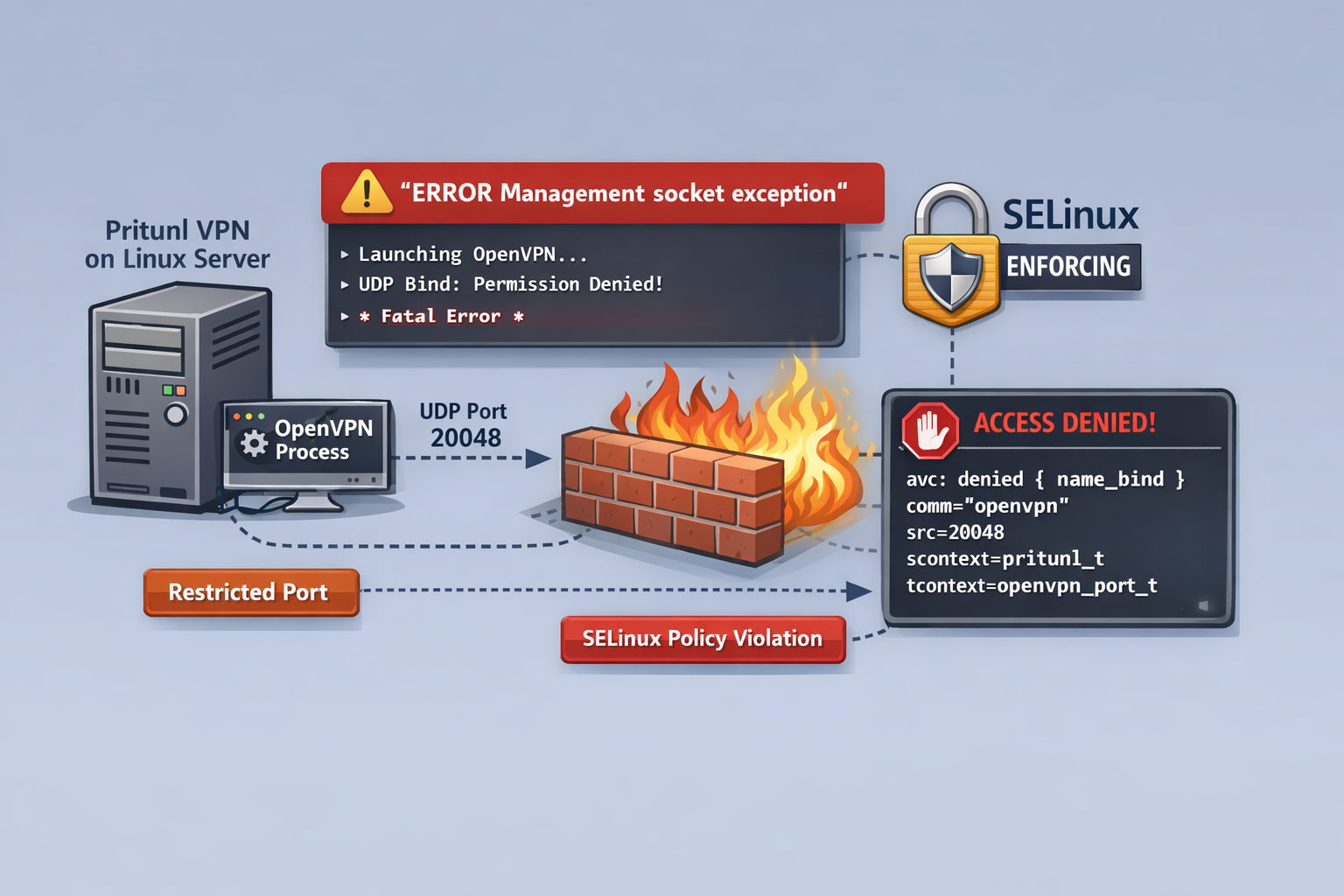
Pritunl ERROR Management socket exception Was Actually an SELinux Port Binding Issue
In MSL Setup v1.4.6, we addressed a VPN-related issue that was initially misleading.
At first glance, the problem appeared to be related to the OpenVPN version. The error shown by Pritunl was:
ERROR Management socket exceptionThis message strongly suggested that the management socket itself was broken, or that a recent OpenVPN update had introduced a regression.
That assumption turned out to be wrong.
The actual cause was SELinux denying OpenVPN from binding to specific UDP ports.
This post summarizes what happened, how we identified the root cause, and why this mattered for MSL Setup, where user-selectable VPN ports are an important part of the design.
Background
MSL Setup provisions isolated project environments on Proxmox using Zelogx automation.
Each project can have its own VPN entry point, and in real-world environments the usable port range is not always freely selectable.
For example, in MAP-E and similar environments, users may only be able to use a limited set of externally available ports. That means the product cannot simply say:
“Please use a different port.”
If a user-selected port is valid for their environment, MSL Setup should be able to make it work.
That is why this issue mattered more than a simple local workaround.
Symptoms
The affected Pritunl servers showed logs similar to the following:
Note: Treating option '--ncp-ciphers' as '--data-ciphers' (renamed in OpenVPN 2.5).
OpenVPN 2.7.0 x86_64-pc-linux-gnu [SSL (OpenSSL)] [LZO] [LZ4] [EPOLL] [PKCS11] [MH/PKTINFO] [AEAD] [DCO]
NOTE: --mute triggered...
ERROR Management socket exception
At first, this looked like one of the following:
- an OpenVPN 2.7.x compatibility issue
- a broken management socket
- a Pritunl bug
- a TUN/TAP problem
However, the logs showed that:
- OpenVPN itself was launching
- TUN/TAP devices were being created successfully
- the failure occurred at the port bind stage
- the management socket error was only a secondary symptom
In other words, the management socket was not the root cause. It was just what Pritunl reported after OpenVPN had already failed.
Why only some servers failed
This was one of the most confusing parts.
There were four Pritunl servers configured in the same way through MSL Setup. Only Server01 and Server02 failed. Server03 and Server04 started normally.
The difference turned out to be the port numbers:
- Server01 used UDP 20048
- Server02 used UDP 20049
- Server03 used UDP 20050
- Server04 used UDP 20051
So the issue was not “Pritunl is broken” or “OpenVPN is broken.”
It was much more specific.
The decisive clue: SELinux AVC logs
After temporarily switching SELinux to permissive mode, the error disappeared. That immediately pointed to SELinux as the real gatekeeper.
To confirm whether SELinux is blocking OpenVPN port binding, the following commands are useful:
getenforce
sudo ausearch -m avc,user_avc -ts recent | tail -n 50
sudo grep -i 'name_bind' /var/log/audit/audit.log | tail -n 20
In our case, the AVC log confirmed it:
avc: denied { name_bind } for pid=11160 comm="openvpn" src=20048
scontext=system_u:system_r:pritunl_t:s0
tcontext=system_u:object_r:openvpn_port_t:s0
tclass=udp_socket
Earlier in the investigation, the same ports were also associated with reserved SELinux port types such as mountd_port_t and nfs_port_t.
This explained why only specific ports failed:
- 20048 and 20049 already had SELinux meaning
- 20050 and 20051 did not hit the same restriction path
- OpenVPN was running under the
pritunl_tSELinux domain - SELinux denied the
name_bindoperation on those ports
So the real issue was:
OpenVPN running under
pritunl_tcould not bind to the selected listening ports in SELinux Enforcing mode.
What made this issue tricky
This problem was unusually hard to identify for several reasons.
1. The visible error message was misleading
ERROR Management socket exception sounds like a socket or OpenVPN control channel issue.
It was not.
It was only the follow-up symptom after OpenVPN had already exited due to bind failure.
2. The OpenVPN version looked suspicious
One system was using OpenVPN 2.7.0, while another healthy system showed 2.6.15. That made the version difference look like the most likely explanation.
But after downgrading, the problem still remained.
That ruled out the version as the primary cause.
3. Pritunl documentation mentions SELinux support
Pritunl documents SELinux support and runs correctly under the pritunl_t / pritunl_web_t contexts.
However, in practice, SELinux support does not automatically mean “all user-selected ports are available without additional policy handling.”
That distinction is important in products like MSL Setup, where arbitrary valid user ports may need to be supported.
The practical fix
The final direction was not to disable SELinux permanently, but to teach SELinux how to allow the required binding safely.
Two things were needed:
- Mark the selected listening port for OpenVPN use where appropriate
- Allow
pritunl_tto performname_bindonopenvpn_port_t
That means the long-term fix is not “turn SELinux off,” but rather:
- keep SELinux Enforcing
- add the required SELinux policy handling automatically
- make that process part of MSL Setup
Why this matters for MSL Setup
This was not just a local troubleshooting exercise.
For MSL Setup, it exposed an important product requirement:
If the user must choose a specific externally usable port, the platform must be able to accommodate that choice safely.
In other words, port flexibility is part of the product, not an optional convenience.
If a platform asks the user to change the port whenever SELinux objects, that may be acceptable in an ad-hoc manual setup.
It is not ideal for a product experience.
This is why we treated the issue as an MSL Setup improvement point rather than just a server-side workaround.
What changed in v1.4.6
As part of MSL Setup v1.4.6, we improved VPN-related behavior in the following areas:
- improved handling of a case where using a private IP as DNS IP1 could break internet access during VPN client connection
- addressed a startup failure in SELinux Enforcing environments when reserved or policy-restricted ports were used as Pritunl listening ports
This release was not about adding a flashy new feature.
It was about making the platform more predictable in real-world constrained environments.
Lessons learned
A few practical takeaways from this issue:
ERROR Management socket exceptionis not necessarily the real cause- if OpenVPN shows
Permission denied (errno=13)on bind, SELinux should be checked immediately setenforce 0is useful for diagnosis, but not a satisfying product-level resolution- “SELinux support” and “user-selectable arbitrary port support” are not automatically the same thing
- if a product allows users to choose ports, SELinux policy automation may need to be part of the product itself
Closing note
This issue looked like an OpenVPN or Pritunl problem at first.
It was actually a good reminder that in Linux systems, the component throwing the visible error is not always the component at fault.
For us, the important part was not only finding the cause, but turning that finding into a more reliable MSL Setup experience.
That is exactly the kind of improvement that belongs in a release.
If you are working on Pritunl in an SELinux Enforcing environment and hit ERROR Management socket exception, it may be worth checking AVC logs before blaming OpenVPN itself.