Use cases envisioned by MSL Setup Pro for isolated multi-project environments.
Real-world ways to use Zelogx MSL Setup on top of Proxmox.
Click any card to jump to the detailed example with visuals below.
Network isolation is essential when testing authentication and credentials.
An isolated environment for safely analyzing suspicious samples.
Control systems are safety-critical and have a "must not stop" priority.
Build project-scoped, disposable test environments similar to cloud VPCs.
Network isolation helps localize problems for public-facing services.
Running multiple projects or client engagements on the same corporate network can lead to unintentional exposure of data and systems between projects, and makes it difficult to safely isolate internal backend systems with external partners.
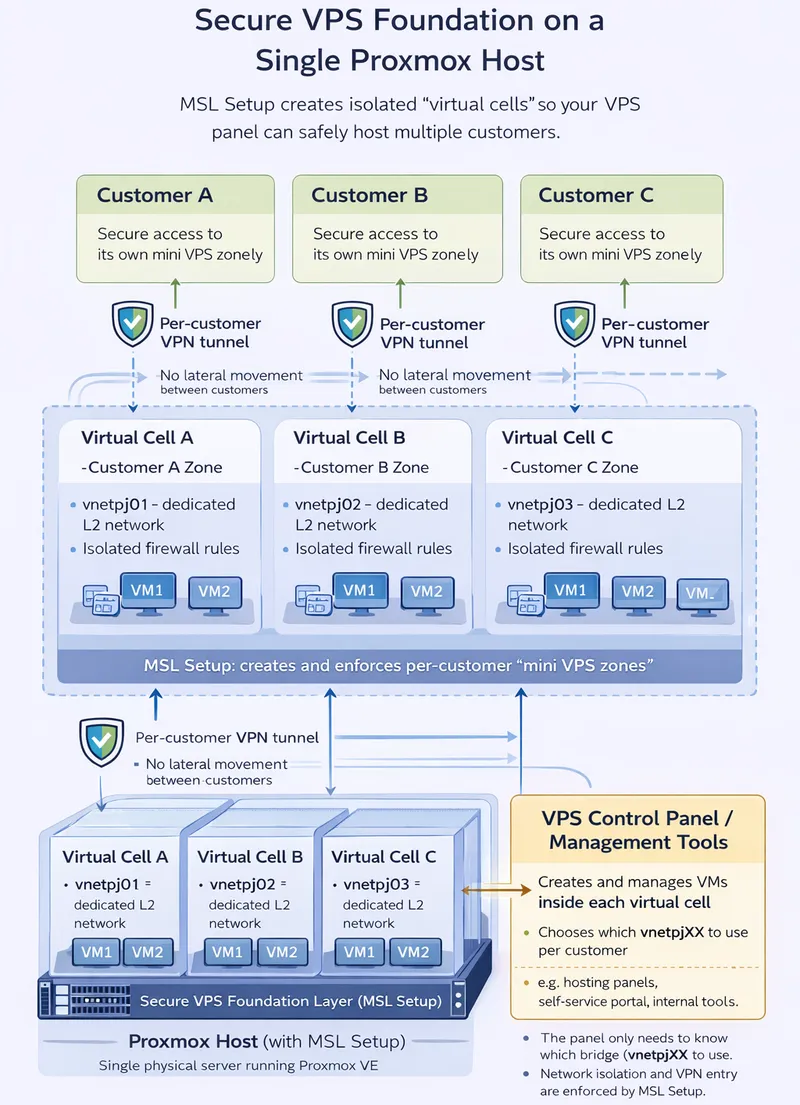
With Zelogx MSL Setup, each project gets its own layer-2 isolated network and VPN entry point on a single Proxmox host. This reduces the risk of one project being visible to another, and allows you to grant outsourced members or external partners controlled access only to the specific environments and backends they need.
It can be used both for internal teams and for providing “dedicated per-client development environments” in contract development or MSP scenarios. It also helps avoid spinning up separate public cloud resources for every ad-hoc demo or PoC, preventing unexpected costs.

Who it's for
FIELD STORY:
How I manage multiple client projects with Proxmox and MSL Scetup
Great for MSPs and internal platform teams who must prevent cross-project data exposure by default.
Who it's for
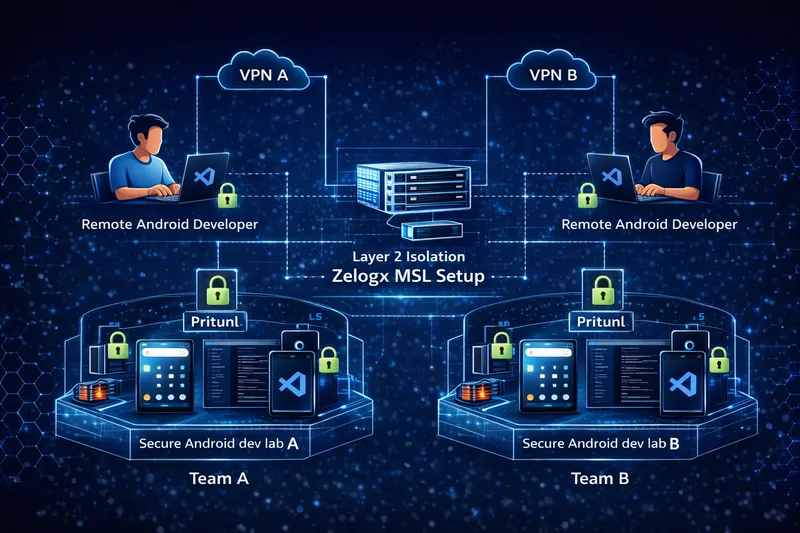
While the final production build and store submission may require a dedicated build machine,
running VS Code Server on a Linux server lets remote developers connect via a browser to a project-specific dev lab and focus on development.
By using MSL Setup in this way, you can spin up multiple secure, cross-platform mobile / Android team development environments in a short time,
and it becomes easier to run a DevSecOps lifecycle on top of those environments.
Placing domain controllers or vulnerable clients on the same network as production devices can lead to unintended impact.
Incorrect GPO or DNS changes from a test VM connected to production networks can cause severe outages.

Who it's for
Who it's for
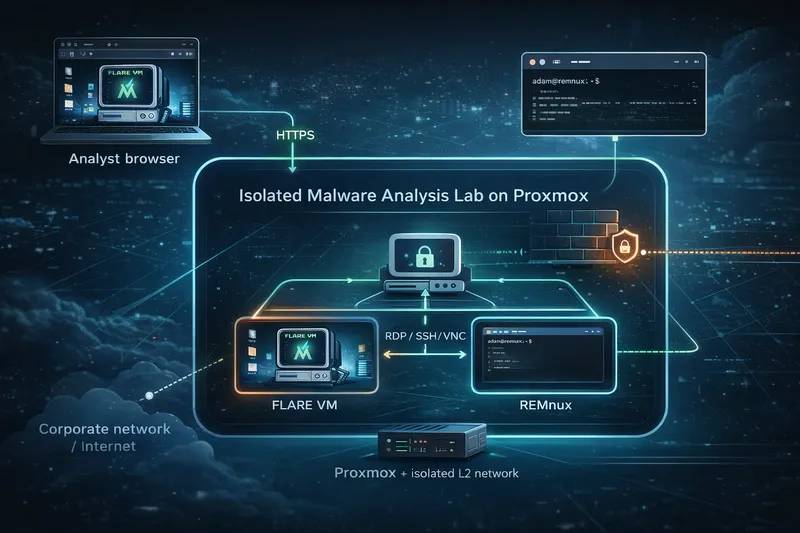
Malware samples under analysis may self-propagate, modify system settings, or attempt to exfiltrate credentials to external systems. Because of this, dynamic analysis labs must be strictly isolated from production networks and the internet, while still allowing analysts to observe realistic system behavior.
In the case of ransomware, entire system volumes may be encrypted during testing, so VM snapshot management becomes essential for quickly resetting the environment and repeating test scenarios.
A typical tool stack for this type of environment includes:
With Proxmox and Zelogx MSL Setup, security teams can run repeatable malware experiments in an isolated lab, while keeping production networks and data completely out of reach.
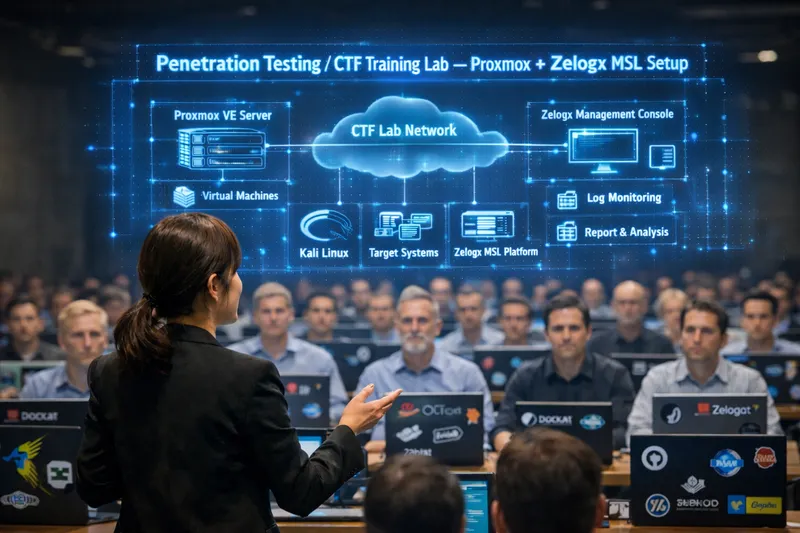
Penetration testing labs and CTF environments often host aggressive tools, intentionally vulnerable images, and misconfigured services by design. If these systems share a network with production assets, there is a real risk of accidental scanning, lateral movement, or data exposure.
With Proxmox and Zelogx MSL Setup, each team or training class can receive its own fully isolated L2 network:
With Proxmox and Zelogx MSL Setup, instructors can run realistic offensive exercises in isolated lab segments, while keeping corporate assets and user data safely out of scope.
Who it's for
Who it's for
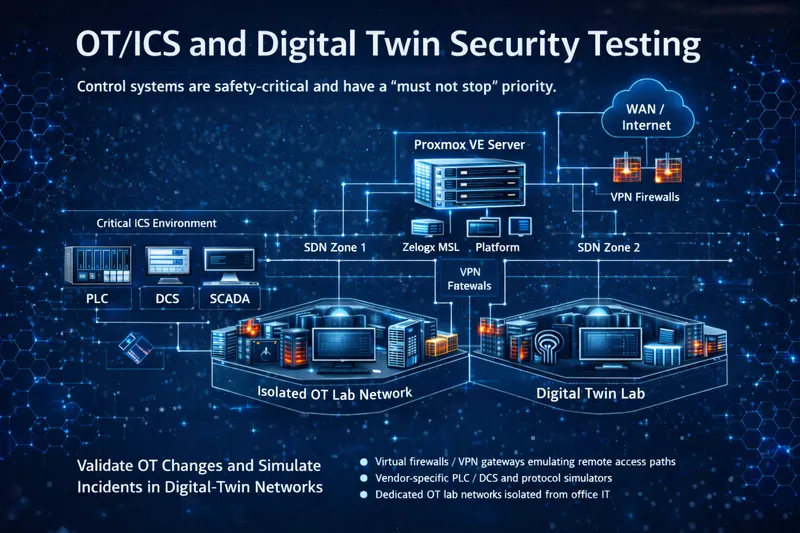
Industrial control systems (ICS) and OT networks often support processes that must not be interrupted in production. To test firewall rules, remote access, or segmentation changes, many teams build “digital twin” labs that replicate key parts of the OT environment on virtual infrastructure.
Proxmox with Zelogx MSL Setup can host these digital twins on isolated SDN zones:
With Proxmox and Zelogx MSL Setup, OT engineers can validate changes and simulate incidents in digital-twin networks, while ensuring that real plants and control systems remain untouched.
Environments designed for teardown and rebuild should not share networks with other systems.
Network isolation also simplifies audits and compliance explanations.
Who it's for
Who it's for
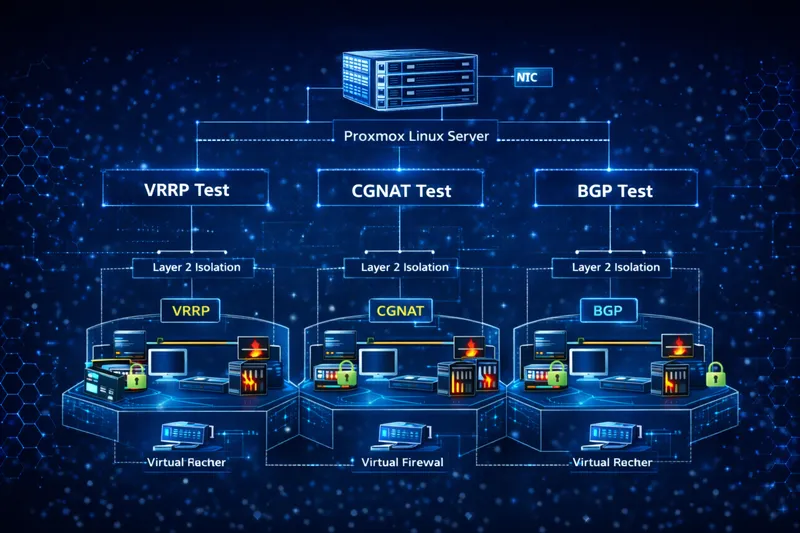
Testing network appliance configurations such as VRRP, dynamic routing, or CGNAT directly on a production network risks actual gateway failovers or route changes due to misconfiguration, potentially impacting business traffic.
By setting up dedicated L2 segments and test VM groups (virtual routers/virtual FW/traffic generators) on MSL Setup, you can reproduce the same address design, VRRP group IDs, and NAT rules as production while completely containing the impact within the lab.
Failover tests, packet captures, and throughput evaluations can be repeated safely, making it useful as a pre-validation environment before submitting change requests.
Public servers (game servers, media distribution, etc.) can be compromised; isolation limits the damage scope.
Separating networks makes compliance and forensic explanations simpler.
Who it's for
Who it's for
In all of these cases, MSL Setup acts as a secure underlay beneath your existing panels and internal tools, letting you upgrade tenant isolation without redesigning everything above.